
co-cherry
컴포넌트 설계 원칙 정리와 중복 로직 리팩토링 본문
1. SRP(Single Responsibility Principle)
SRP(Single Responsibility Principle) 는
SOLID 원칙 중 첫 번째 원칙으로, 하나의 클래스는 하나의 책임만 가져야 한다 는 원칙이다.
보다 정확하게 말하면, 클래스를 변경해야 하는 이유는 단 하나뿐이어야 한다.
즉, 하나의 클래스가 여러 역할을 동시에 수행하면 안 된다는 의미다.
클린 코드(Clean Code) 저서에서는 이렇게 말한다.
클래스나 모듈을 변경할 이유가 하나, 단 하나뿐이어야 한다.
여기서 중요한 점은 기능의 개수가 아닌 변경 이유(Change Reason)이다.
예를 들어,
- 비즈니스 로직이 변경될 때
- DB 구조가 변경될 때
- 출력 포맷이 변경될 때
서로 다른 이유로 클래스가 수정된다면 그 클래스는 여러 책임을 가지고 있는 것이다.
❌ SRP를 지키지 않은 예시
public class UserService {

    public void saveUser(User user) {
        // 1. 유효성 검사
        if (user.getName() == null) {
            throw new IllegalArgumentException("이름은 필수입니다.");
        }

        // 2. DB 저장
        userRepository.save(user);

        // 3. 로그 출력
        System.out.println("사용자 저장 완료");

        // 4. 이메일 전송
        emailService.sendWelcomeMail(user);
    }
}
이 경우, 변경 이유가 여러 개가 되므로 기능이 수정될 때마다 같은 클래스를 반복해서 변경해야 하는 문제가 발생한다.
✅ SRP를 적용한 예시
위 사례를 책임을 분리한다면 아래와 같이 구분할 수 있다.
- UserValidator → 검증 책임
- UserRepository → 저장 책임
- EmailService → 이메일 책임
public class UserValidator {
    public void validate(User user) {
        if (user.getName() == null) {
            throw new IllegalArgumentException("이름은 필수입니다.");
        }
    }
}

public class UserRepository {
    public void save(User user) {
        // DB 저장 로직
    }
}

public class EmailService {
    public void sendWelcomeMail(User user) {
        // 이메일 전송
    }
}

public class UserService {

    private final UserValidator validator;
    private final UserRepository repository;
    private final EmailService emailService;

    public void register(User user) {
        validator.validate(user);
        repository.save(user);
        emailService.sendWelcomeMail(user);
    }
}
SRP의 장점
- 코드 가독성이 좋아진다
- 테스트가 좋아진다
- 변경에 강해진다
- 유지보수 비용이 줄어든다
2. Presentational-Container
React와 같은 UI 프레임워크에서 컴포넌트의 역할을 분리하여 설계하는 패턴이다.
컴포넌트의 구조와 책임을 어떻게 나눌지에 대한 방식으로, 컴포넌트 간 역할 분리에 중점을 둔 패턴이다.
Presentational
데이터가 유저에게 어떻게 보여질지(UI)에 대해서만 다루는 컴포넌트
- 화면(UI) 렌더링만 담당
- 자신의 상태(state)를 가지지 않음
- 비즈니스 로직이 없음
- props로 데이터 받아서 표시
- 재사용성이 높음
function UserList({ users }) {
	return (
		<ul>
			{users.map(user => (
				<li key={user.id}>{user.name}</li>
			))}
		</ul>
	);
}
Container
어떤 데이터를 어떻게 처리할지 결정하는 컴포넌트
- API 호출
- 상태 관리(useState 등)
- 비즈니스 로직 처리
- 데이터 가공
- Presentational 컴포넌트에 props 전달
import { useEffect, useState } from "react";

function UserListContainer() {
	const [users, setUsers] = useState([]);

	useEffect(() => {
		fetch("/api/users")
			.then(res => res.json())
			.then(data => setUsers(data));
	}, []);

	return <UserList users={users} />;
}
Presentational-Container 패턴의 장점
- 책임의 명확성
- 높은 재사용성
- 테스트 용이성
- 유지보수 용이성
이러한 Presentational-Container 패턴은 UI와 비즈니스 로직을 분리하여 컴포넌트의 책임을 명확하게 만드는 것을 목표로 한다.
최근 React에서는 Custom Hook, React Query, Zustand 등의 상태 관리 도구가 등장하면서 Container의 역할을 Custom Hook으로 분리하는 방식으로 구현하는 경우가 많다.
3. Compound Component
React에서 하나의 UI를 구성하는 여러 하위 컴포넌트를 조합하여 사용하는 디자인 패턴
부모 컴포넌트가 상태를 관리하고, 하위 컴포넌트들은 그 상태를 공유하며 유기적으로 동작한다.
예제)
https://www.patterns.dev/react/compound-pattern/
Compound Pattern
Create multiple components that work together to perform a single task
www.patterns.dev
아래의 예제에서, 단순히 다람쥐 이미지를 보여주는 것 외, 사용자가 이미지를 편집하거나 삭제할 수 있는 버튼을 추가하려고 한다.
이를 위해 사용자가 컴포넌트를 토글하면 목록을 보여주는 Flyout 컴포넌트를 구현할 수 있다.
FlyOut 컴포넌트 안에는 3가지의 구현이 필요하다.
- 토글 버튼과 메뉴 리스트를 포함한 Flyout wrapper
- 리스트를 열고/닫는 toggle 버튼
- 메뉴 아이템 목록을 담는 List 컴포넌트
FlyOut Component
이 컴포넌트는 상태를 가지고 있으며, 자식 컴포넌트들에게 토글 값(open/toggle)을 전달하기 위해 FlyOutProvider를 반환한다.
const FlyOutContext = createContext()

function FlyOut(props) {
  const [open, toggle] = useState(false)

  const providerValue = { open, toggle }

  return (
    <FlyOutContext.Provider value={providerValue}>
      {props.children}
    </FlyOutContext.Provider>
  )
}
이 코드에서는 open과 toggle 값을 자식에게 전달할 수 있는 상태를 가진 FlyOut 컴포넌트가 준비되었다.
Toggle Component
이 컴포넌트는 사용자가 토글 버튼을 눌렀을 때 나타날 메뉴를 렌더링하고 있다.
function Toggle() {
  const { open, toggle } = useContext(FlyOutContext)

  return (
    <div onClick={() => toggle(!open)}>
      <Icon />
    </div>
  )
}
Toggle이 FlyOutContextProvider에 접근할 수 있도록 하려면 Toggle을 FlyOut의 자식 컴포넌트로 렌더링 해야 한다.
단순히 자식 컴포넌트로 렌더링해도 되지만, Toggle을 FlyOut의 속성으로 만들어서 사용할 수도 있다.
const FlyOutContext = createContext();

function FlyOut(props) {
  const [open, toggle] = useState(false);

  return (
    <FlyOutContext.Provider value={{ open, toggle }}>
      {props.children}
    </FlyOutContext.Provider>
  );
}

function Toggle() {
  const { open, toggle } = useContext(FlyOutContext);

  return (
    <div onClick={() => toggle(!open)}>
      <Icon />
    </div>
  );
}

FlyOut.Toggle = Toggle;
즉, 어떤 어떤 파일에서든 해당 컴포넌트를 사용하려면 FlyOut만 import 하면 된다는 뜻이다!
import React from "react";
import { FlyOut } from "./FlyOut";

export default function FlyoutMenu() {
  return (
    <FlyOut>
      <FlyOut.Toggle />
    </FlyOut>
  );
}
List와 Item 추가
이제 open 값에 따라 열리고 닫히는 List가 필요하다.
List는 open 값이 true인지 false인지에 따라 자식들을 렌더링한다.
function List({ children }) {
  const { open } = React.useContext(FlyOutContext);
  return open && <ul>{children}</ul>;
}

function Item({ children }) {
  return <li>{children}</li>;
}
List와 Item도 Toggle처럼 FlyOut의 속성으로 추가해보자.
const FlyOutContext = createContext();

function FlyOut(props) {
  const [open, toggle] = useState(false);

  return (
    <FlyOutContext.Provider value={{ open, toggle }}>
      {props.children}
    </FlyOutContext.Provider>
  );
}

function Toggle() {
  const { open, toggle } = useContext(FlyOutContext);

  return (
    <div onClick={() => toggle(!open)}>
      <Icon />
    </div>
  );
}

function List({ children }) {
  const { open } = useContext(FlyOutContext);
  return open && <ul>{children}</ul>;
}

function Item({ children }) {
  return <li>{children}</li>;
}

FlyOut.Toggle = Toggle;
FlyOut.List = List;
FlyOut.Item = Item;
지금까지 구현한 것들 모두 FlyOut 컴포넌트만을 가지고 사용할 수 있다!
FlyOut.List 안에 FlyOut.Item 두 개를 렌더링하여 Edit와 Delete 메뉴를 만들어보자.
import React from 'react'
import { FlyOut } from './FlyOut'

export default function FlyoutMenu() {
  return (
    <FlyOut>
      <FlyOut.Toggle />
      <FlyOut.List>
        <FlyOut.Item>Edit</FlyOut.Item>
        <FlyOut.Item>Delete</FlyOut.Item>
      </FlyOut.List>
    </FlyOut>
  )
}
▲ FlyOutMenu 자체에 어떤 상태도 추가하지 않고도 FlyOut 컴포넌트를 구현했다.
위 예제에서 FlyOut 컴포넌트는 메뉴의 Open 상태를 관리하는 부모 컴포넌트 역할을 한다.
그리고 Toggle, List, Item 컴포넌트는 이 상태를 공유하며 각각의 역할을 수행한다.
즉, 하나의 UI 기능(메뉴)을 구현하기 위해 여러 개의 하위 컴포넌트가 존재하며,
이 컴포넌트들이 부모 컴포넌트의 상태를 공유하며 하나의 UI를 구성한다.
또한, FlyOut.Toggle, FlyOut.List, FlyOut.Item 과 같이 부모 컴포넌트의 속성 형태로
하위 컴포넌트를 묶어 사용함으로써, 서로 관련된 컴포넌트들을 하나의 컴포넌트 그룹처럼 사용할 수 있다.
이러한 구조가 바로 Compound Component 패턴의 특징이다.
Compound Component의 장점
- Context API를 활용하여 부모 컴포넌트의 상태를 자식 컴포넌트들이 공유할 수 있어 props drilling을 방지할 수 있다.
- 상태 관리가 부모 컴포넌트에 집중되어 컴포넌트 구조를 단순하게 유지할 수 있다.
- 하위 컴포넌트를 부모 컴포넌트의 속성 형태로 제공하여 사용 시 import를 단순화할 수 있다.
4. 컴포넌트 설계 원칙
컴포넌트 설계에서는 응집도와 결합도의 균형을 고려해야 한다.
응집도 원칙은 컴포넌트를 어떻게 묶을지 설명하고, 결합도 원칙은 컴포넌트 사이의 의존성을 어떻게 관리할지 설명한다.
4-1. 컴포넌트 응집도 원칙
컴포넌트 응집도 원칙은 어떤 클래스와 모듈을 하나의 컴포넌트로 묶어야 하는지 결정하는 기준을 제시한다.
대표적인 원칙으로는 REP, CCP, CRP 세 가지가 있다.
REP: 재사용/릴리스 등가 원칙 (Reuse/Release Equivalence Principle)
재사용 단위는 릴리스 단위와 같아야 한다.
컴포넌트가 재사용되기 위해서는 명확한 릴리스 절차와 버전 관리가 필요하다.
릴리스 번호가 없거나 변경 사항이 관리되지 않는 컴포넌트는 호환성을 보장할 수 없기 때문에 재사용하기 어렵다.
따라서 하나의 컴포넌트로 묶인 클래스와 모듈은 다음과 같은 기준을 가져야 한다.
- 동일한 버전 번호를 가져야 한다.
- 동일한 릴리스로 추적 관리되어야 한다.
- 동일한 릴리스 문서에 포함되어야 한다.
또한 설계 관점에서는 하나의 컴포넌트는 공통된 목적이나 테마를 가진 모듈들로 구성되어야 한다.
즉, 응집도가 높은 구조를 가져야 한다.
CCP: 공통 폐쇄 원칙(Common Closure Principle)
동일한 이유로 동일한 시점에 변경되는 클래스들은 같은 컴포넌트로 묶어야 한다.
반대로 다른 이유로 변경되는 클래스들은 서로 다른 컴포넌트로 분리해야 한다.
이 원칙은 SRP(단일 책임 원칙)의 컴포넌트 버전이라고 볼 수 있다.
- SRP → 클래스 수준 원칙
- CCP → 컴포넌트 수준 원칙
애플리케이션에서 변경이 발생할 때, 여러 컴포넌트를 수정해야 한다면 유지보수 비용이 크게 증가한다.
따라서, CCP는 변경이 필요한 코드를 가능한 한 하나의 컴포넌트에 모아 변경 범위를 최소화하는 것을 목표로 한다.
이 원칙은 OCP(개방 폐쇄 원칙)과도 밀접한 관련이 있다.
- OCP : 변경에는 닫혀 있고 확장에는 열려 있어야 한다
- CCP : 동일한 변경에 대해 닫혀 있는 클래스들을 하나의 컴포넌트로 묶는다
CRP: 공통 재사용 원칙(Common Reuse Principle)
컴포넌트를 사용하는 사람에게 필요하지 않은 것까지 의존하게 강요하지 말라.
즉, 함께 재사용되는 클래스들만 같은 컴포넌트에 포함시켜야 한다.
예를 들어,
- 컨테이너 클래스
- 해당 컨테이너의 Iterator 클래스
처럼 항상 함께 사용되는 클래스들은 같은 컴포넌트에 두는 것이 적절하다.
반대로 강하게 결합되지 않은 클래스들을 하나의 컴포넌트에 넣으면 불필요한 의존성이 발생한다.
이 원칙은 ISP(인터페이스 분리 원칙)과도 관련이 있다.
- ISP : 사용하지 않는 메서드에 의존하지 않기
- CRP : 사용하지 않는 클래스를 가진 컴포넌트에 의존하지 않기
위 세 원칙은 서로 상충하는 관계를 가진다.
따라서, 컴포넌트를 설계할 때는 재사용성과 개발 효율성 사이의 균형을 고려해야 한다.
4-2. 컴포넌트 결합도 원칙
컴포넌트 결합도 원칙은 컴포넌트 사이의 의존 관계를 어떻게 설계하고 관리해야 하는지에 대한 기준을 제시한다.
대표적인 원칙으로는 ADP, SDP, SAP 세 가지가 있다.
ADP: 의존성 비순환 원칙(Acyclic Dependencies Principle)
컴포넌트 의존성 그래프에는 순환이 존재해서는 안 된다.
만약 컴포넌트 사이에 순환 의존성이 생기면,
- 빌드 순서를 결정하기 어렵고
- 릴리스 단위가 커지고
- 변경의 영향이 시스템 전체로 확산될 수 있다.
따라서, 컴포넌트 의존성 구조는 DAG(비순환 방향 그래프) 형태로 유지해야 한다.
[순환 의존성 해결 방안]
- 의존성 역전 원칙(DIP) 적용: 인터페이스를 도입하여 의존성을 역전시켜 순환을 끊는다.
- 새로운 컴포넌트로 분리: 두 컴포넌트가 공통으로 사용하는 클래스를 새로운 컴포넌트로 이동시킨다.
SDP: 안정된 의존성 원칙(Stable Dependencies Principle)
의존성은 더 안정적인 컴포넌트를 향해야 한다.
즉, 변경이 쉬운 컴포넌트가 변경이 어려운 컴포넌트에 의존해야 한다.
안정성 지표
I = Fan-out / (Fan-in + Fan-out)
- Fan-in: 해당 컴포넌트를 의존하는 외부 컴포넌트의 수
- Fan-out: 해당 컴포넌트가 의존하는 외부 컴포넌트의 수
이 값은 0과 1 사이의 범위를 가지며, 1에 가까울수록 컴포넌트가 불안정하고 0에 가까울수록 안정적이다.
따라서 의존성은 불안정한 컴포넌트에서 안정된 컴포넌트 방향으로 향하도록 설계해야 한다.
SAP: 안정된 추상화 원칙(Stable Abstractions Principle)
안정적인 컴포넌트일수록 더 추상적이어야 한다.
이는 안정된 컴포넌트가 구체적인 구현에 의존하게 되면, 시스템 전체의 변경이 어려워질 수 있기 때문이다.
안정된 컴포넌트는 추상 컴포넌트여야 하며, 안정성이 컴포넌트를 확장하는 일을 방해해서는 안 된다고 말한다.
불안정한 컴포넌트는 반드시 구체 컴포넌트여야 하며, 불안정하므로 컴포넌트 내부의 구체적인 코드를 쉽게 변경할 수 있어야 하기 때문이다.
따라서, 안정적인 컴포넌트는
- 인터페이스
- 추상 클래스
등을 통해 확장이 가능하도록 설계해야 한다.
추상화 정도 측정
A = Na / Nc
- Nc: 컴포넌트의 전체 클래스 수
- Na: 인터페이스 + 추상 클래스 수
이 값은 0과 1 사이의 범위를 가지며, 값이 1에 가까울수록 컴포넌트는 더 추상적이고 0에 가까울수록 더 구체적인 구조를 가진다.
정리
컴포넌트 설계에서는 응집도와 결합도의 균형을 고려하는 것이 중요하다.
컴포넌트 응집도 원칙은 어떤 클래스와 모듈을 함께 묶어 하나의 컴포넌트로 구성할 것인지에 대한 기준을 제시한다.
반면, 컴포넌트 결합도 원칙은 컴포넌트 간의 의존 관계를 어떻게 설계하고 관리해야 하는지에 대한 방향을 제시한다.
컴포넌트 설계에서는 응집도와 결합도 원칙을 함께 고려하여 구조를 설계하는 것이 중요하다.
5. 동일 UI를 다른 방식으로 설계해보기
나는 지난 UMC 8기 때 진행했던 프로젝트 코드를 리팩토링해보려고 한다.
코드를 살펴보니 생각보다 여러 페이지에서 동일한 로직이 반복되어 사용되고 있었다.
특히 다음과 같은 부분에서 중복이 발생하고 있었다.
- 카카오 SDK 스크립트 로딩 코드 (MapPage, NewPlacePage, SavedPlaceMapPage 중복)
- 마커 생성 로직 코드 (MapPage, NewPlacePage, SavedPlaceMapPage 중복)
- 범위 계산 로직 코드 (MapPage, NewPlacePage 중복)
이처럼 하나의 페이지 컴포넌트가 SDK 로딩, 지도 초기화, 위치 처리, 범위 계산, 마커 관리, UI 렌더링까지
한꺼번에 담당하면서 코드가 여러 곳에 반복되는 구조가 되었고, 이는 SRP(단일 책임 원칙)관점에서도 적절
하지 않은 설계였다.
따라서 이번 리팩토링에서는 중복되는 로직을 공통 훅과 유틸 함수로 분리하여 책임을 명확히 나누고,
변경이 발생했을 때 수정 범위를 최소화할 수 있도록 구조를 개선하고자 한다.
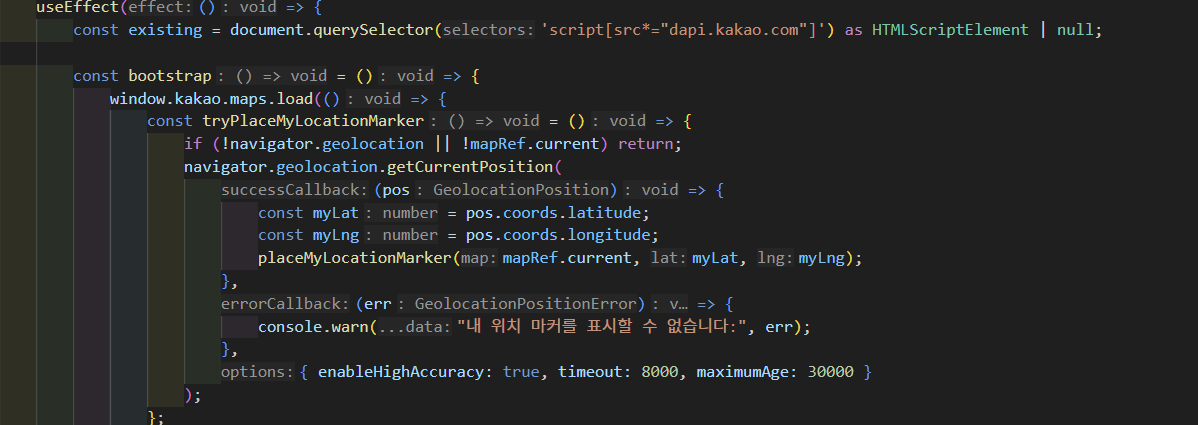
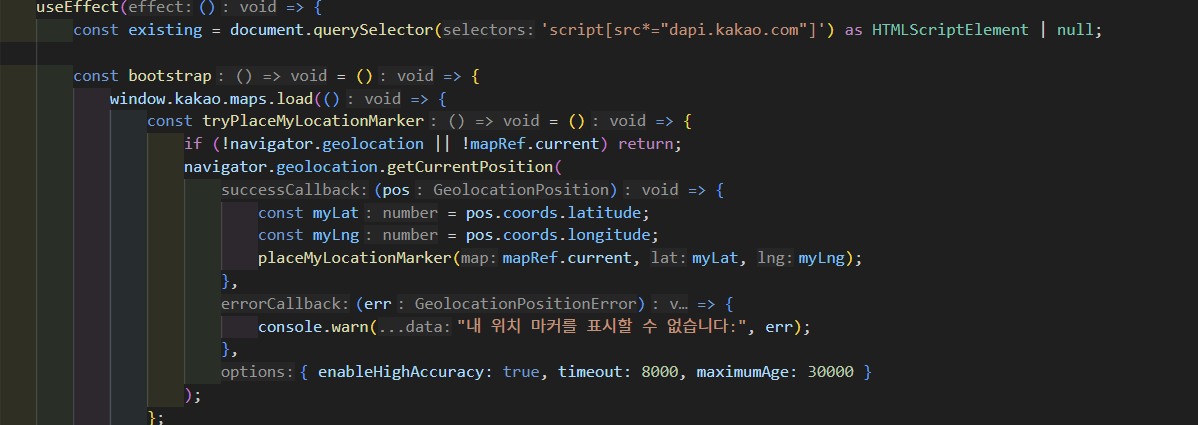

변경 전 코드 (MapPage.tsx)
import { useEffect, useRef, useState } from "react";
import SearchMapBar from "../components/common/SearchMapBar";
import PinInfoModal from "../components/PinInfoModal";
import { useFetchPlacesWithinBounds } from "../hooks/queries/useFetchPlacesWithinBounds";
import { Place } from "../types/place";
import { getPinImageSrc } from "../utils/getPinImageSrc";
import pinMe from "../assets/pin/pin_me.png";
import { useMapViewStore } from "../stores/mapViewStore";

declare global {
	interface Window { kakao: any; }
}

function MapPage() {
	// Refs
	const mapContainerRef = useRef<HTMLDivElement>(null);
	const mapRef = useRef<any>(null);
	const markerRefList = useRef<any[]>([]);
	const meMarkerRef = useRef<any>(null);

	// Store
	const { center, setCenter } = useMapViewStore();

	// Local states
	const [selectedPlace, setSelectedPlace] = useState<Place | null>(null);
	const [isMapLoaded, setIsMapLoaded] = useState(false);
	const [currentLat, setCurrentLat] = useState<number | null>(null);
	const [currentLng, setCurrentLng] = useState<number | null>(null);

	const shouldFetch = currentLat !== null && currentLng !== null;
	const { data: places = [] } = useFetchPlacesWithinBounds(
		shouldFetch
			? {
					latMin: Number((currentLat! - 0.009).toFixed(5)),
					latMax: Number((currentLat! + 0.009).toFixed(5)),
					lngMin: Number((currentLng! - 0.0114).toFixed(5)),
					lngMax: Number((currentLng! + 0.0114).toFixed(5)),
				}
			: { latMin: 0, latMax: 0, lngMin: 0, lngMax: 0 },
		shouldFetch
	);

	function createMap(container: HTMLDivElement, lat: number, lng: number) {
		const center = new window.kakao.maps.LatLng(lat, lng);
		return new window.kakao.maps.Map(container, { center, level: 3 });
	}

	function placeMyLocationMarker(map: any, lat: number, lng: number) {
		const pos = new window.kakao.maps.LatLng(lat, lng);
		if (meMarkerRef.current) meMarkerRef.current.setMap(null);

		meMarkerRef.current = new window.kakao.maps.Marker({
			position: pos,
			map,
			title: "현재 위치",
			image: new window.kakao.maps.MarkerImage(
				pinMe,
				new window.kakao.maps.Size(36, 36),
				{ offset: new window.kakao.maps.Point(18, 36) }
			),
			zIndex: 10000,
			clickable: false
		});
	}

	useEffect(() => {
		const existing = document.querySelector('script[src*="dapi.kakao.com"]') as HTMLScriptElement | null;

		const bootstrap = () => {
			window.kakao.maps.load(() => {
				const tryPlaceMyLocationMarker = () => {
					if (!navigator.geolocation || !mapRef.current) return;
					navigator.geolocation.getCurrentPosition(
						(pos) => {
							const myLat = pos.coords.latitude;
							const myLng = pos.coords.longitude;
							placeMyLocationMarker(mapRef.current, myLat, myLng);
						},
						(err) => {
							console.warn("내 위치 마커를 표시할 수 없습니다:", err);
						},
						{ enableHighAccuracy: true, timeout: 8000, maximumAge: 30000 }
					);
				};

				const initWith = (lat: number, lng: number) => {
					if (!mapContainerRef.current) return;
					mapRef.current = createMap(mapContainerRef.current, lat, lng);
					setIsMapLoaded(true);
					setCurrentLat(lat);
					setCurrentLng(lng);
					tryPlaceMyLocationMarker();
				};

				if (center.lat !== null && center.lng !== null) {
					initWith(center.lat, center.lng);
					return;
				}

				if (navigator.geolocation) {
					navigator.geolocation.getCurrentPosition(
						(pos) => {
							const { latitude: lat, longitude: lng } = pos.coords;
							initWith(lat, lng);
							setCenter(lat, lng); // 첫 진입 기록
						},
						(err) => {
							alert("위치 정보를 불러올 수 없어요. 기본 위치로 설정합니다.");
							console.error(err);
							const defaultLat = 37.566826;
							const defaultLng = 126.9786567;
							initWith(defaultLat, defaultLng);
							setCenter(defaultLat, defaultLng);
						}
					);
				} else {
					alert("위치 정보를 지원하지 않습니다. 기본 위치로 설정합니다.");
					const defaultLat = 37.566826;
					const defaultLng = 126.9786567;
					initWith(defaultLat, defaultLng);
					setCenter(defaultLat, defaultLng);
				}
			});
		};

		// 스크립트 중복 로드 방지
		if (existing) {
			if ((window as any).kakao && window.kakao.maps) {
				bootstrap();
			} else {
				existing.addEventListener("load", bootstrap, { once: true });
			}
			return;
		}

		const script = document.createElement("script");
		script.src = `https://dapi.kakao.com/v2/maps/sdk.js?appkey=${import.meta.env.VITE_KAKAO_MAP_KEY}&autoload=false&libraries=services`;
		script.async = true;
		script.onload = bootstrap;
		document.head.appendChild(script);
	}, []);

	useEffect(() => {
		if (!mapRef.current || currentLat === null || currentLng === null) return;

		markerRefList.current.forEach((m) => m.setMap(null));
		markerRefList.current = [];

		const newMarkers = places.map((place: Place) => {
			const imageSrc = getPinImageSrc(place.pinCategory);
			const image = new window.kakao.maps.MarkerImage(
				imageSrc,
				new window.kakao.maps.Size(36, 36),
				{ offset: new window.kakao.maps.Point(18, 36) }
			);

			const marker = new window.kakao.maps.Marker({
				position: new window.kakao.maps.LatLng(place.latitude, place.longitude),
				map: mapRef.current,
				title: place.title,
				image
			});

			window.kakao.maps.event.addListener(marker, "click", () => {
				if (selectedPlace?.placeId !== place.placeId) setSelectedPlace(place);
			});

			return marker;
		});

		markerRefList.current = newMarkers;
	}, [places, currentLat, currentLng, selectedPlace?.placeId]);

	return (
		<div className="w-full h-full relative">
			{isMapLoaded && mapRef.current && (
				<SearchMapBar
					map={mapRef.current}
					onChangeCenter={(lat, lng) => {
						setCurrentLat(lat);
						setCurrentLng(lng);
						setCenter(lat, lng);
					}}
				/>
			)}
			<div ref={mapContainerRef} className="w-full h-[calc(100vh-60px)] border border-gray-200" />
			<PinInfoModal place={selectedPlace} onClose={() => setSelectedPlace(null)} />
		</div>
	);
}

export default MapPage;
변경 후 코드 (MapPage.tsx)
import { useCallback, useRef, useState } from "react";

import SearchMapBar from "../components/common/SearchMapBar";
import PinInfoModal from "../components/PinInfoModal";
import { useKakaoMapLoader } from "../hooks/useKakaoMapLoader";
import { usePlaceMarkers } from "../hooks/usePlaceMarkers";
import { useFetchPlacesWithinBounds } from "../hooks/queries/useFetchPlacesWithinBounds";
import { useMapViewStore } from "../stores/mapViewStore";
import { calcBounds } from "../utils/mapBounds";
import { Place } from "../types/place";
import pinMe from "../assets/pin/pin_me.png";

declare global {
	interface Window { kakao: any; }
}

const DEFAULT_LAT = 37.566826;
const DEFAULT_LNG = 126.9786567;

function MapPage() {
	const mapContainerRef = useRef<HTMLDivElement>(null);
	const mapRef = useRef<any>(null);
	const meMarkerRef = useRef<any>(null);

	const { center, setCenter } = useMapViewStore();
	const [selectedPlace, setSelectedPlace] = useState<Place | null>(null);
	const [isMapLoaded, setIsMapLoaded] = useState(false);
	const [currentLat, setCurrentLat] = useState<number | null>(null);
	const [currentLng, setCurrentLng] = useState<number | null>(null);

	function initWith(lat: number, lng: number) {
		if (!mapContainerRef.current) return;
		mapRef.current = new window.kakao.maps.Map(mapContainerRef.current, {
			center: new window.kakao.maps.LatLng(lat, lng),
			level: 3,
		});
		setCurrentLat(lat);
		setCurrentLng(lng);
		setIsMapLoaded(true);
	}

	function placeMyLocationMarker(lat: number, lng: number) {
		if (meMarkerRef.current) meMarkerRef.current.setMap(null);
		meMarkerRef.current = new window.kakao.maps.Marker({
			position: new window.kakao.maps.LatLng(lat, lng),
			map: mapRef.current,
			title: "현재 위치",
			image: new window.kakao.maps.MarkerImage(
				pinMe,
				new window.kakao.maps.Size(36, 36),
				{ offset: new window.kakao.maps.Point(18, 36) }
			),
			zIndex: 10000,
			clickable: false,
		});
	}

	function tryPlaceMyLocationMarker() {
		if (!navigator.geolocation) return;
		navigator.geolocation.getCurrentPosition(
			({ coords }) => {
				placeMyLocationMarker(coords.latitude, coords.longitude);
			},
			(err) => {
				console.warn("내 위치 마커를 표시할 수 없습니다:", err);
			},
			{ enableHighAccuracy: true, timeout: 8000, maximumAge: 30000 }
		);
	}

	useKakaoMapLoader(() => {
		if (center.lat !== null && center.lng !== null) {
			initWith(center.lat, center.lng);
			tryPlaceMyLocationMarker();
			return;
		}

		initWith(DEFAULT_LAT, DEFAULT_LNG);

		if (!navigator.geolocation) {
			setCenter(DEFAULT_LAT, DEFAULT_LNG);
			return;
		}

		navigator.geolocation.getCurrentPosition(
			({ coords }) => {
				const { latitude: lat, longitude: lng } = coords;
				mapRef.current?.setCenter(new window.kakao.maps.LatLng(lat, lng));
				setCurrentLat(lat);
				setCurrentLng(lng);
				placeMyLocationMarker(lat, lng);
				setCenter(lat, lng);
			},
			(err) => {
				console.warn("위치 정보를 불러올 수 없어요:", err);
				setCenter(DEFAULT_LAT, DEFAULT_LNG);
			}
		);
	});

	// 범위 계산 (중복 제거)
	const shouldFetch = currentLat !== null && currentLng !== null;
	const { data: places = [] } = useFetchPlacesWithinBounds(
		shouldFetch
			? calcBounds(currentLat!, currentLng!)
			: { latMin: 0, latMax: 0, lngMin: 0, lngMax: 0 },
		shouldFetch
	);

	// 마커 생성/관리 (중복 제거)
	usePlaceMarkers({
		map: isMapLoaded ? mapRef.current : null,
		places,
		onMarkerClick: (place) => {
			if (selectedPlace?.placeId !== place.placeId) setSelectedPlace(place);
		},
	});

	const handleChangeCenter = useCallback(
		(lat: number, lng: number) => {
			setCurrentLat(lat);
			setCurrentLng(lng);
			setCenter(lat, lng);
		},
		[setCenter]
	);

	return (
		<div className="w-full h-full relative">
			{isMapLoaded && mapRef.current && (
				<SearchMapBar
					map={mapRef.current}
					onChangeCenter={handleChangeCenter}
				/>
			)}
			<div ref={mapContainerRef} className="w-full h-[calc(100vh-60px)] border border-gray-200" />
			<PinInfoModal place={selectedPlace} onClose={() => setSelectedPlace(null)} />
		</div>
	);
}

export default MapPage;
useKakaoMapLoader.ts (추가)
import { useEffect, useRef } from "react";

export function useKakaoMapLoader(onSdkReady: () => void): void {
  const callbackRef = useRef(onSdkReady);
  callbackRef.current = onSdkReady;

  useEffect(() => {
    const bootstrap = () =>
      window.kakao.maps.load(() => callbackRef.current());

    const existing = document.querySelector<HTMLScriptElement>(
      'script[src*="dapi.kakao.com"]'
    );

    if (existing) {
      if (window.kakao?.maps) {
        bootstrap();
      } else {
        existing.addEventListener("load", bootstrap, { once: true });
      }
      return;
    }

    const script = document.createElement("script");
    script.src = `https://dapi.kakao.com/v2/maps/sdk.js?appkey=${import.meta.env.VITE_KAKAO_MAP_KEY}&autoload=false&libraries=services`;
    script.async = true;
    script.onload = bootstrap;
    document.head.appendChild(script);
  }, []);
}
usePlaceMarkers.ts (추가)
import { useEffect, useRef } from "react";

import { getPinImageSrc } from "../utils/getPinImageSrc";
import { Place } from "../types/place";

interface UsePlaceMarkersOptions {
  map: any;
  places: Place[];
  onMarkerClick: (place: Place) => void;
}

// 장소 마커 생성/제거를 담당하는 훅
export function usePlaceMarkers({ map, places, onMarkerClick }: UsePlaceMarkersOptions) {
  const markerListRef = useRef<any[]>([]);

  useEffect(() => {
    if (!map) return;

    markerListRef.current.forEach((m) => m.setMap(null));
    markerListRef.current = [];

    markerListRef.current = places.map((place) => {
      const image = new window.kakao.maps.MarkerImage(
        getPinImageSrc(place.pinCategory),
        new window.kakao.maps.Size(36, 36),
        { offset: new window.kakao.maps.Point(18, 36) }
      );

      const marker = new window.kakao.maps.Marker({
        position: new window.kakao.maps.LatLng(place.latitude, place.longitude),
        map,
        title: place.title,
        image,
      });

      window.kakao.maps.event.addListener(marker, "click", () =>
        onMarkerClick(place)
      );

      return marker;
    });
  }, [map, places, onMarkerClick]);
}
mapBounds.ts (추가)
export interface Bounds {
  latMin: number;
  latMax: number;
  lngMin: number;
  lngMax: number;
}

export function calcBounds(lat: number, lng: number): Bounds {
  return {
    latMin: Number((lat - 0.009).toFixed(5)),
    latMax: Number((lat + 0.009).toFixed(5)),
    lngMin: Number((lng - 0.0114).toFixed(5)),
    lngMax: Number((lng + 0.0114).toFixed(5)),
  };
}
리팩토링 후에는 중복되던 로직을 공통 훅과 유틸 함수로 분리하여 각 컴포넌트가 하나의 책임만을 가지도록 구조를 개선했다.
카카오 SDK 스크립트 로딩은 useKakaoMapLoader 로 분리하여 여러 페이지에서 재사용할 수 있도록 했고,
마커 생성 로직은 usePlaceMarkers 훅에서 관리하도록 변경했다.
또한, 지도 범위 계산 로직은 calcBounds 유틸 함수로 분리하여 페이지 컴포넌트에서는 계산식에 직접 의존하지 않도록 했다.
이와 같이 로직을 분리함으로써 page 컴포넌트는 지도 화면을 구성하는 역할에 집중할 수 있게 되었고, 중복 코드도 제거되어 유지보수성이 향상되었다!
참고 자료
https://ggarden.tistory.com/entry/ContainerPresentational-%ED%8C%A8%ED%84%B4
Container/Presentational 패턴
📍Presentational vs Container 구분 Presentational Container 쓰임새 데이터가 유저에게 어떻게 보여질지에 대해서만 다루는 컴포넌트 어떤 데이터가 유저에게 보여질지 결정하는 컴포넌트 역할 View 비즈니
ggarden.tistory.com
https://www.patterns.dev/react/compound-pattern/
Compound Pattern
Create multiple components that work together to perform a single task
www.patterns.dev
https://patterns-dev-kr.github.io/design-patterns/compound-pattern/
Compound 패턴
📜 원문: patterns.dev - compound pattern 앱을 개발하다 보면 종종 서로를 참조하는 컴포넌트를 만들기도 한다. 컴포넌트들은 서로 상태를 공유하기도 하고 특정 로직을 함께 사용하기도 한다. 아마 이
patterns-dev-kr.github.io
4부 컴포넌트 원칙
4부 컴포넌트 원칙
wikidocs.net
'React' 카테고리의 다른 글
| useMemo, useCallback을 활용한 상세 페이지 구현하기 (w. TMDB) (0) | 2026.04.12 |
|---|---|
| Tanstack query 활용한 무한 스크롤 페이지 (w.TMDB) (0) | 2026.03.29 |
| TanStack Query (0) | 2026.03.27 |
| 상태 관리 전략 비교 (0) | 2026.03.22 |
| 커스텀 훅과 책임 분리 (0) | 2026.03.15 |
